

Product
Every extraction, documented well enough to stand on its own
Not a file with a hash next to it. A recorded session, stamped twice, verified server-side, and checkable by anyone with the link — without relying on the examiner's word.
The mechanism
From extraction to verifiable proof, in six steps
- 01
The session is recorded
Full-system screen — not an isolated browser window —, from start to close of the extraction.
- 02
Stamped on the spot
Local SHA-256 and an RFC 3161 timestamp before anything is uploaded.
- 03
The server verifies
Recalculates the hash on receipt; rejects it if it doesn't match.
- 04
Second timestamp
The server obtains its own RFC 3161 timestamp, independent from the client's.
- 05
Chained
Hash of the previous artifact in the session plus its own, as additional evidence.
- 06
Publicly verifiable
Via link or QR code, no account required, for any third party.
Acquisition
A different source for every situation, the same rigor for all
Desktop USB drive
Windows, macOS and Linux. Records the entire desktop — any application, not just a browser — from a self-contained executable; nothing gets installed on the examined machine.
Mobile app
iOS and Android. The richest capture surface — 9 artifact types, full-device screen recording and GPS (see below).
Browser extension
Chrome, Edge and Firefox. Records the browsing session in a separate window, without stealing focus from the examined tab.
Incoming email
Certified automatically, with no operator involved, by CC'ing an address tied to the case.
Website monitoring
Scheduled or on demand — raw HTTP transaction, TLS certificate and real rendering with screenshots.
The richest capture surface
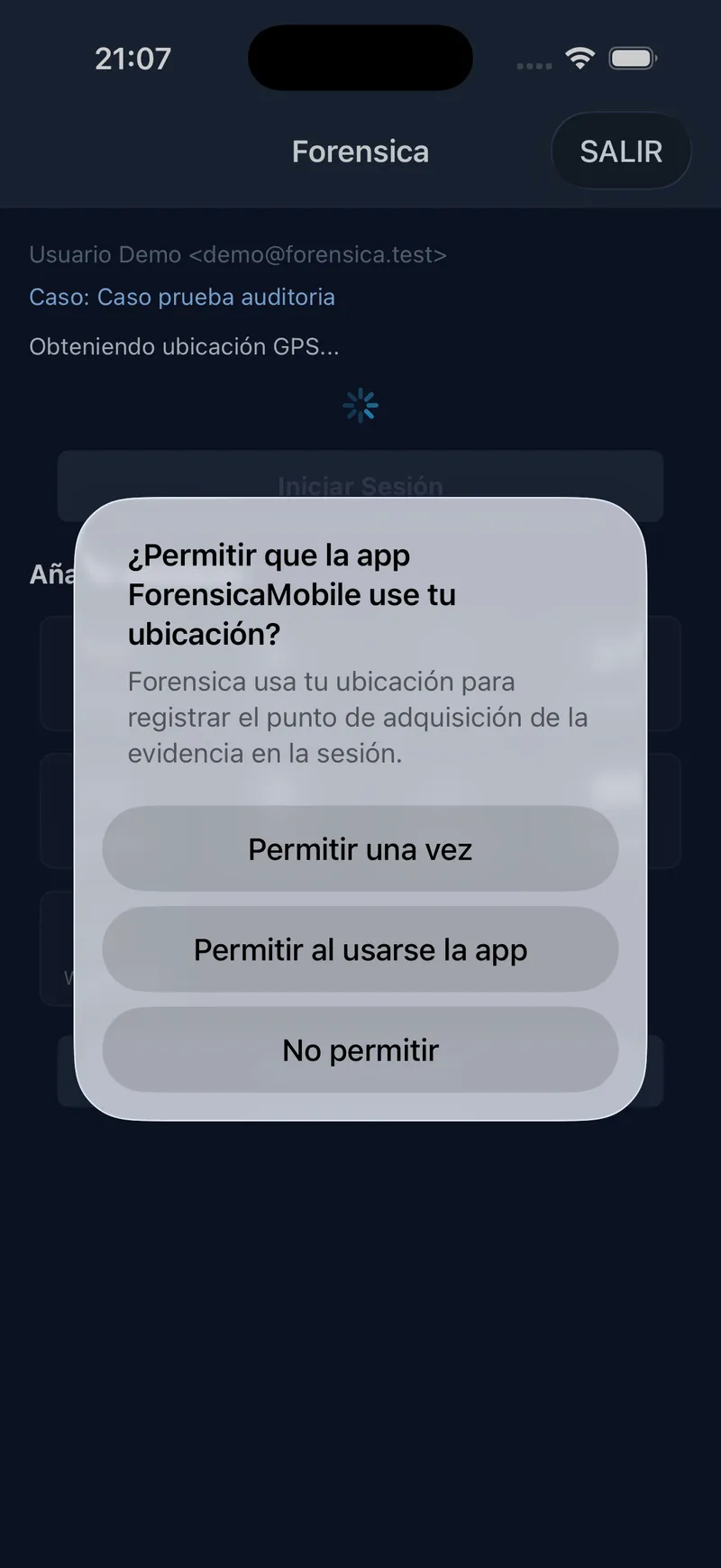
What the mobile app can acquire
Documents, communications and media already stored on the examiner's or the user's own device — with the same hash-and-deferred-stamp mechanism as every other source.
- Photos & video
- Audio
- Generic file
- Screenshots
- Email (.eml/.msg)
- SMS (export)
- WhatsApp (chat export)
- Call log (Android)
Full-device screen recording
On iOS (Broadcast Upload Extension) and Android (MediaProjection) — not just inside the app, the entire acquisition session gets recorded.
GPS, IP and host of the acquisition
The capture point as declared by the device (GPS), plus the IP and host independently observed by the server itself.
Custody
Built so nothing can be altered after the fact
Local WORM storage
No accepted blob can be overwritten or deleted — not by our own bug, not by accident.
Chained hash between artifacts
Every artifact cryptographically references the previous one in its own session.
Dual timestamp
The client's, at the moment of acquisition, and the server's, independent, on receipt.
Read audit log
Not just who generated the evidence — also who viewed or downloaded it afterwards: IP, host, browser and approximate location for each access.
Public or private verification
A link or a QR code, and anyone can check it
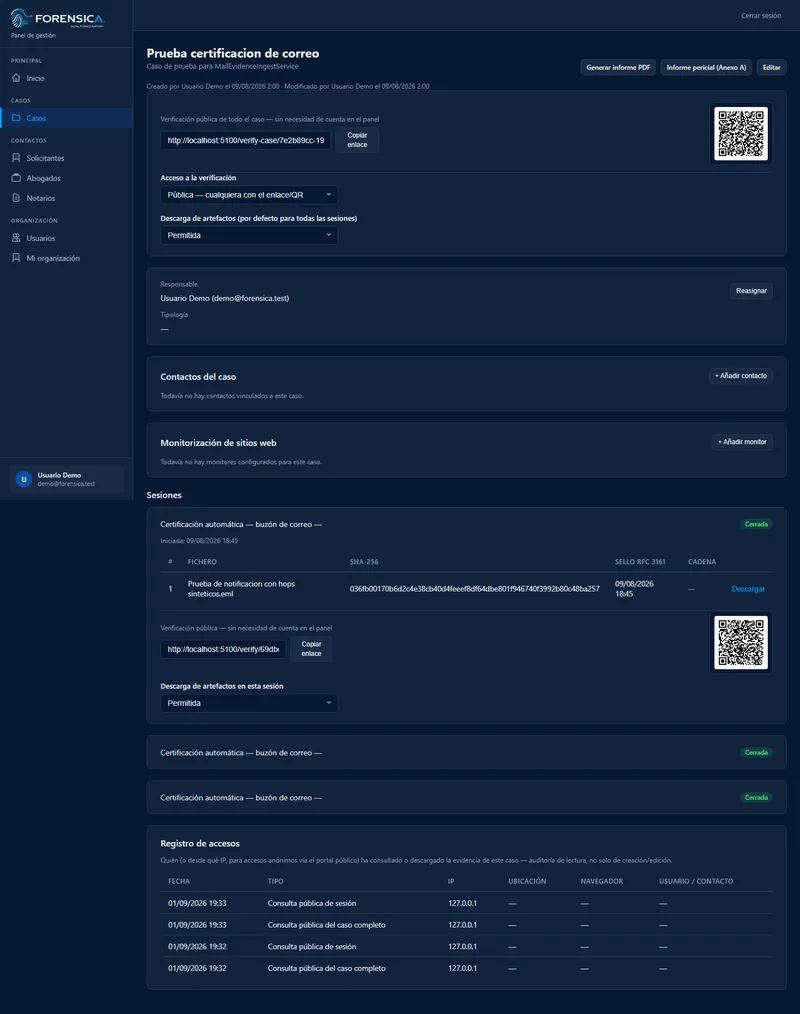
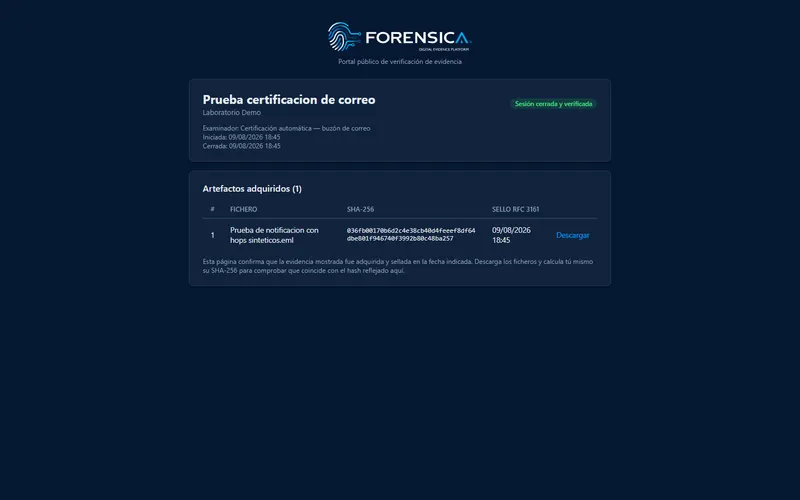
Every session and every case carry their own verification identifier, independent from the internal ID. Another examiner, a court or a lawyer can check hashes and timestamps and download the evidence without creating any account — for a single session, or a full case with all of its sessions.
By default, that same link is already enough. If the case calls for it, it can be marked private: the link is still the entry point, but it shows nothing until an authorized contact — identified by their phone or email — confirms a code from a TOTP app. The organization also decides, per case or per session, whether artifacts can be downloaded.
See security & complianceReports
Documents that speak the court's language
Generated and digitally signed, with the timestamp embedded in the signature itself.
Case report
Chain-of-custody summary: sessions, artifacts, hashes and timestamps, with the origin map for each session.
Expert report (Annex A)
Full structure aligned with UNE 71506, with a per-organization customizable template.
Email/web certification
One PDF per automatically certified email or web capture, sent by email at certification time.

Next step
See it work with a real case
We'll walk you through it in a 30-minute demo, with your own workflow.